Delete a Schedule
Occasionally, you may need to remove a schedule that is no longer needed. Deleting a schedule ensures that your management interface remains organized and free of unnecessary entries.
To Delete a Schedule
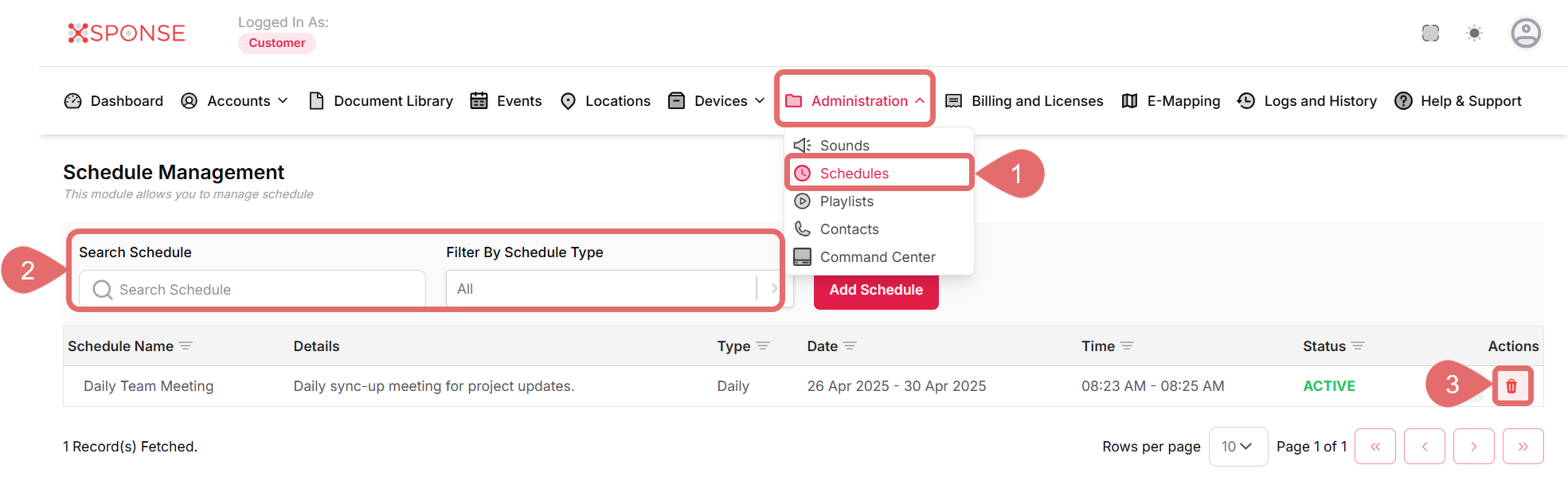
- Go to Administration > Schedules.
- Use the search bar or filters to find the schedule you want to remove or locate it manually in the list.
- Click the Remove Schedule icon in the Actions column.
- Click Remove to delete the schedule or Cancel to discard changes.
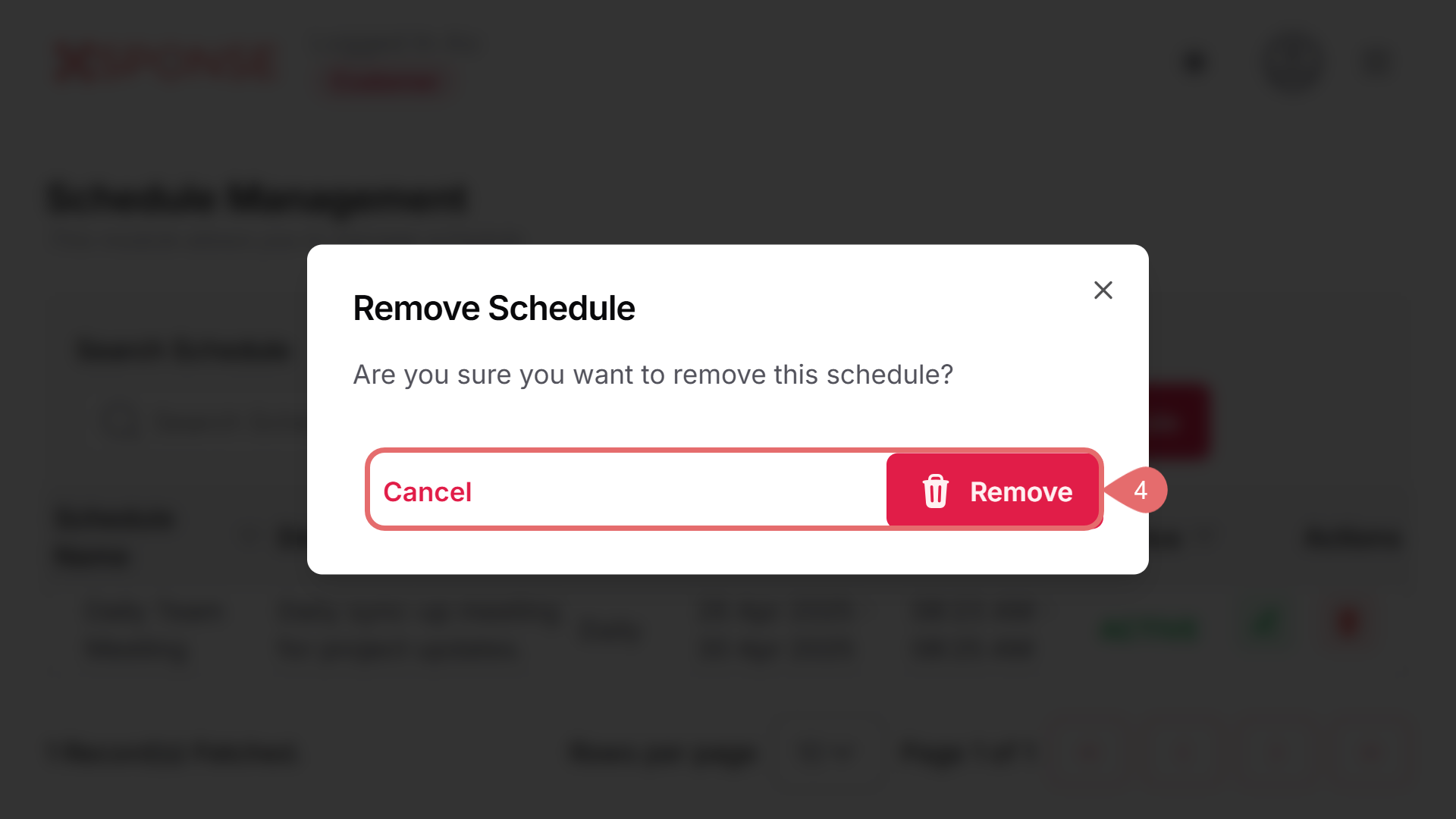
Action Cannot Be Undone
Deleting a schedule is permanent. Make sure you really want to remove it before proceeding.
See Also
To complement your knowledge of this process, check the following pages: